DNS, hosting & CDN. Know the difference.
DNS, CDN, and hosting work together. Here’s how to read the clues without jumping to conclusions.
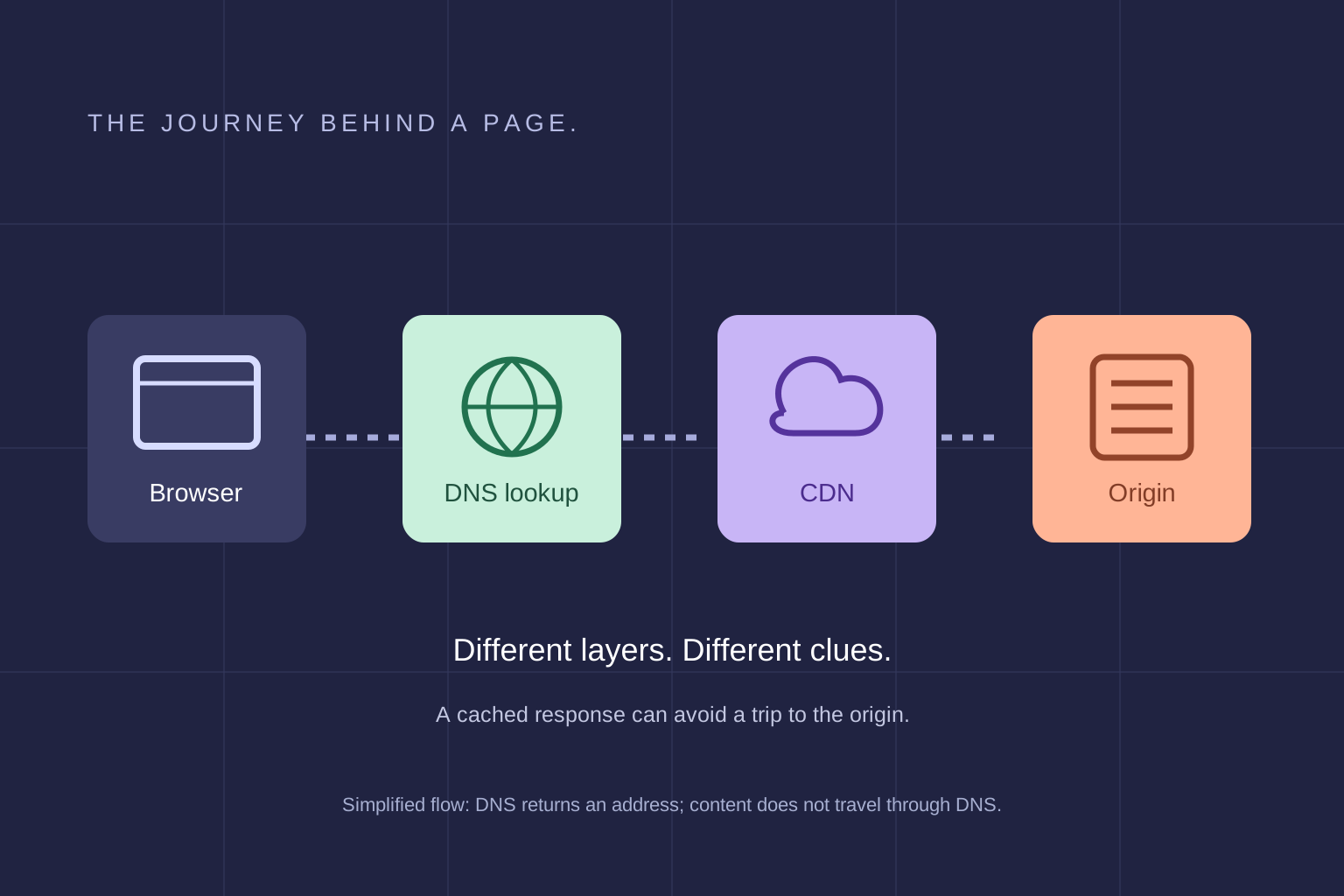 A field note on infrastructure
- DNS translates a hostname to routing information; it does not measure full page speed.
- A CDN cache hit can reduce a trip to the origin, while dynamic or uncached requests may still depend on it.
- Headers and DNS aliases can suggest providers but may not expose the true origin.
DNS lookup, CDN delivery, and origin hosting have different jobs. This is a simplified teaching model, not a speed score; real request paths can have additional layers.
Source 1 ↗DNS is the lookup step
When a browser needs a site, a resolver looks up records that help route the request. Responses may be cached according to their time to live (TTL). A longer cache lifetime can reduce repeat lookups but can also mean that record changes take longer to be seen everywhere. DNS is only one step: after the browser gets an answer, it still connects securely, requests resources, and waits for the page to render. A resolver response time is not the same as a visitor’s complete DNS experience or page load time.
Bare Audit asks Cloudflare’s public DNS-over-HTTPS resolver for public records and checks address answers for safe scanning. Its visible address TTL is remaining resolver-cache lifetime, not the authoritative configured TTL. It does not time authoritative DNS and does not claim to benchmark DNS speed around the world.
A CDN can serve content closer to visitors
A content delivery network (CDN) can cache eligible assets or responses at distributed locations. When an appropriate cached copy is available, a visitor may avoid a round trip to the origin. Cache behavior depends on rules, response headers, content type, cookies, query strings, and whether the response is safe to reuse. Dynamic or personalized pages often need different handling. A cache status header is evidence about a response, not a complete diagnosis of freshness or correctness. Confirm that changes, prices, and user-specific information remain accurate.
Hosting and the origin are not always visible
The origin is the source server behind a delivery path, but proxies, CDNs, reverse proxies, and managed platforms can hide it. Nameserver names indicate DNS delegation; they do not necessarily identify where an application runs. Response headers and visible CNAME targets may suggest the serving or DNS provider, but they can be absent, rewritten, or shared. An inferred provider is a clue, not proof of ownership or origin identity.
Bare Audit reports these clues separately and leaves the origin unestablished where it cannot determine it. Its response timing ends at headers; download timing covers the body; fetch timing covers the final request through body completion. Each is one server-side observation that includes network and CDN effects. It is not isolated origin processing or a global hosting benchmark.
How to find who hosts a website
Start with the exact hostname visitors use. The bare domain and its www version can take different paths. Enter it in Bare’s free hosting checker, then read the hosting, DNS, CDN and network cards separately. Expand the technical details to see the clues and when the observation was made.
A provider-specific alias or response header can identify a platform. Matching nameservers, reverse DNS and network evidence can support a likely hosting company, but any one of those may describe another layer. For example, SiteGround can be the company selling hosting while Google supplies infrastructure; Cloudflare can deliver a page without being its retail host.
If a CDN hides the origin and no independent hosting clue is visible, an unconfirmed host is the useful answer. For your own site, the hosting dashboard or contract can settle the question. For another site, retain the uncertainty instead of treating the CDN or IP owner as proof.
What a Bare Audit report can tell you
Public DNS and headers reveal only what the request path exposes. One observation from one scanner location cannot establish worldwide availability, DNS latency, origin performance, or provider ownership.
Your next-step checklist
- Confirm authoritative DNS records and TTLs with your DNS provider.
- Check that CDN rules match your static, dynamic, and personalized content.
- Test a cache hit and miss while checking freshness and correctness.
- Compare response headers with your hosting and CDN configuration.
- Treat provider labels from public clues as hypotheses; confirm them in account or deployment records.
Sources & further reading
- 1
- 2
- 3
- 4