DMARC records, explained.
Understand DMARC policy and alignment, then plan changes from real sending evidence and provider guidance.
 A field note on email
- DMARC evaluates whether a passing SPF or DKIM identity aligns with the visible From domain.
- The current RFC makes p= optional; when omitted from an otherwise valid policy, it is treated as p=none.
- The Bare.io tool checks the exact _dmarc name and declaration syntax; it does not verify message alignment or parent-domain policy discovery.
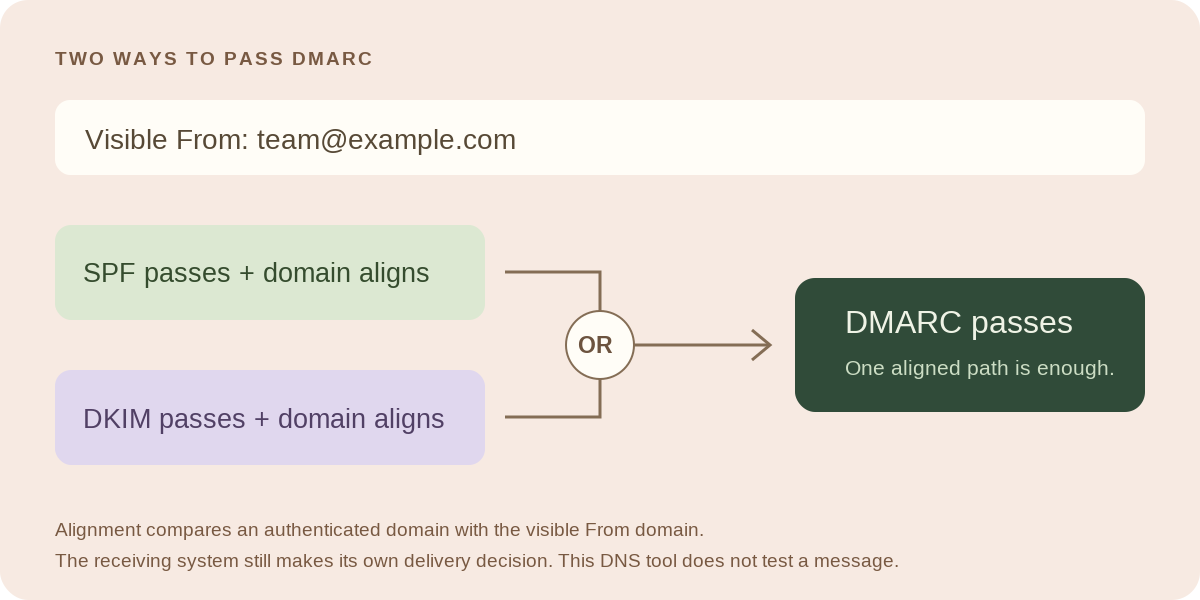
DMARC passes when at least one supported authentication mechanism passes and its authenticated domain aligns with the visible From domain.
Source 3 ↗What a DMARC record tells receivers
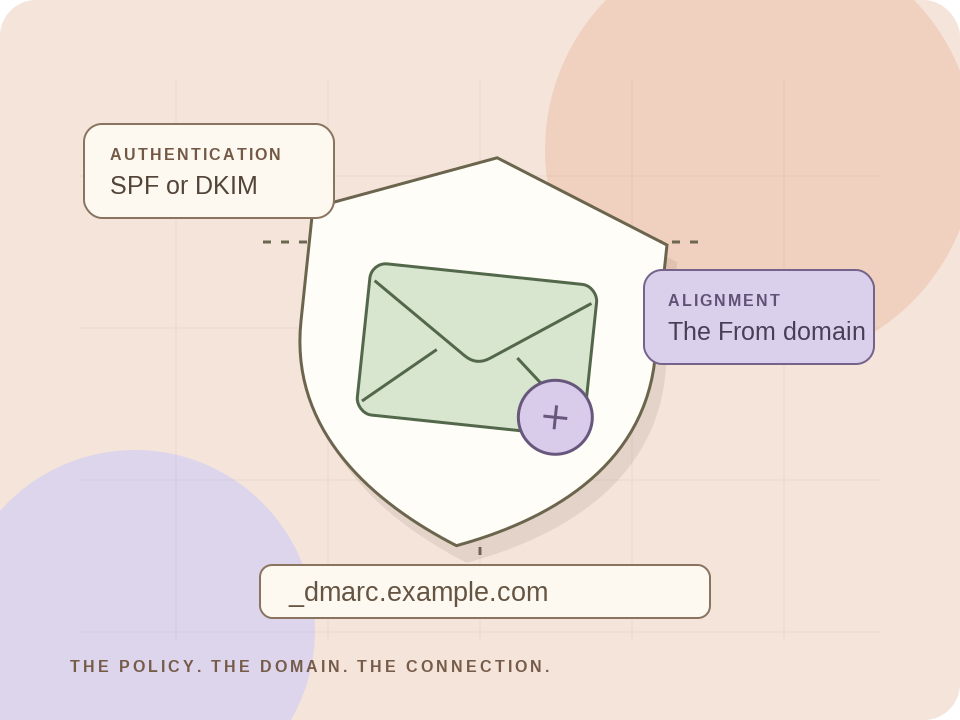
DMARC connects email authentication to the domain people see in a message’s From header. It asks a receiving system to evaluate SPF and DKIM, then checks whether at least one successful authenticated identity aligns with that visible Author Domain. A passing SPF result for an unrelated return-path domain, or a valid DKIM signature from an unrelated signing domain, does not by itself satisfy DMARC alignment.
The domain owner publishes a policy preference for messages that fail DMARC. The policy can request no special DMARC handling (none), suspicious handling such as quarantine, or rejection. The receiver makes its own handling decision; a published policy is not a guarantee that every receiver will follow it identically or that a message will reach an inbox. DMARC is defined by current RFC 9989, which supersedes the older RFC 7489 guidance.
How SPF and DKIM alignment work
For SPF, the authenticated identity comes from the validated SMTP MAIL FROM domain. For DKIM, it comes from the d= signing domain in a cryptographically validated signature. DMARC compares each passing identity with the domain in the visible From header. In relaxed mode, the domains can be different subdomains that share the same organizational domain; in strict mode, they must match exactly. The record’s aspf and adkim tags select alignment modes, and both default to relaxed when omitted.
Only one aligned pass is needed: SPF aligned pass or DKIM aligned pass. This is why a sender can pass SPF but fail DMARC when its return-path is a provider domain, yet pass DMARC through an aligned DKIM signature. Conversely, a DKIM DNS key declaration alone does not establish that a message signature validates or aligns. The DKIM selector guide shows how to find the selector and signing domain in a message header.
Read the record and its policy
A DMARC policy is a TXT record at _dmarc followed by the domain being checked, for example _dmarc.example.com. It begins with v=DMARC1; the version tag must come first. Tags are separated by semicolons. The p tag states the requested policy for the domain. Current RFC 9989 marks p as recommended rather than required: if it is omitted from an otherwise syntactically valid DMARC policy record, receivers treat the policy as p=none.
This synthetic example illustrates a monitoring-style policy and uses no report destination: v=DMARC1; p=none. It is not a suggested policy for your domain. Owners who want aggregate feedback can add a rua destination they control, but report delivery and formats depend on receiving systems and separate reporting guidance. Confirm the reporting service’s requirements and data-handling practices before publishing a destination.
Older material may show pct= as a way to apply stricter handling to a percentage of failures. RFC 9989 removed that tag and describes a t testing tag instead. Do not add pct as a current rollout instruction. The important rollout work is understanding legitimate mail flows and making a deliberate policy decision with the administrators and providers who own them.
v=DMARC1; p=nonePlan policy changes from evidence
Before tightening a policy, inventory every legitimate source that uses your visible From domain: employee mail, website forms, help desks, billing systems, newsletters, and other third-party senders. Ask each provider which envelope domain and DKIM signing domain it uses, what it requires in DNS, and how to enable aligned signing. Then test representative messages and review receiver-side authentication results. Aggregate reports, if requested and received, can help expose sources and failures, but need careful interpretation and a process for handling the data.
Move from observation toward enforcement only after you understand the traffic and have confirmed that important sources achieve aligned SPF or DKIM. Choose quarantine or reject based on your operational readiness, provider documentation, and the consequences of misclassifying legitimate mail. There is no universal schedule or policy value that fits every organization. Coordinate changes with the mail, DNS, application, and third-party service owners, and keep a recovery plan.
- Inventory visible From domains and their legitimate sending systems.
- Check SPF and DKIM authentication and alignment on real messages.
- Review aggregate reporting and investigate unknown or failing sources.
- Select policy changes with providers and administrators; retest after publication.
What a DNS check can and cannot tell you
The Bare.io Email DNS checker queries the exact _dmarc.<domain> name you submit and reviews the returned declaration’s supported syntax. It does not walk to a parent domain to discover inherited DMARC policy, test organizational-domain discovery, evaluate a message’s SPF or DKIM results, compare identities for alignment, fetch aggregate reports, or determine what a mailbox provider will do.
A valid-looking record is a useful DNS observation, not proof that messages pass DMARC. To diagnose a particular message, inspect its full headers and receiver-added authentication results, then compare the From, return-path, and validated DKIM signing domains. Use the email authentication fix guide to organize next steps across SPF, DKIM, and DMARC.
Your next-step checklist
- Identify the visible From domain and the exact _dmarc name to inspect.
- Confirm SPF and DKIM for every legitimate sender, including their authenticated identities.
- Check whether at least one passing identity aligns with the visible From domain.
- Use aggregate evidence and provider guidance before tightening policy.
- Retest real messages after DNS and provider-side changes.
Sources & further reading
- 1Configure DMARC and investigate alignment — Microsoft Learn
Provider operational guidance. This guide uses RFC 9989 for current protocol tags and defaults.
- 2How email authentication works — Microsoft Learn
How authenticated envelope, From and DKIM identities fit together.
- 3RFC 9989 — Domain-Based Message Authentication, Reporting, and Conformance (DMARC)
Current DMARC standard. Sections 4.3–4.4 cover authentication and alignment; 4.7 describes tags including optional p (default none); Appendix A.6 explains removal of pct and the t testing tag.
- 4RFC 9990 — DMARC Aggregate Reporting
Separate current specification for aggregate feedback reports.
- 5RFC 7208 — Sender Policy Framework (SPF)
Defines SPF identities and evaluation used by DMARC.
- 6RFC 6376 — DomainKeys Identified Mail (DKIM) Signatures
Defines DKIM signatures and signing domains used by DMARC.