SPF records, explained.
A clear guide to SPF syntax, sender authorization, and the checks to make before changing DNS.
 A field note on email
- SPF is a TXT policy for SMTP identities, usually the MAIL FROM domain, not a direct check of the visible From address.
- Publish one SPF policy per queried name. A second SPF policy is not merged with the first.
- A syntax review cannot expand provider includes, calculate the complete recursive lookup budget, or prove a message passed SPF.
SPF authorizes sending hosts for the SMTP HELO and MAIL FROM identities. DMARC separately checks whether an authenticated SPF identity aligns with the visible From domain.
Source 3 ↗What an SPF record does
Sender Policy Framework (SPF) lets a domain publish which sending hosts are authorized to use its SMTP identities. During delivery, a receiver evaluates the connecting IP address against the domain from the SMTP HELO or MAIL FROM identity. That identity is part of the mail transaction; it is not necessarily the address a person sees in the message’s From line.
This distinction matters when troubleshooting. SPF can pass for a bounce or return-path domain while the visible From domain is different. DMARC checks whether a passing SPF identity aligns with the visible From domain, or whether a valid DKIM signature aligns. The companion DMARC guide explains how those checks work together.
Read the syntax before changing it
An SPF policy is published as a DNS TXT record at the name being checked. It begins with the version marker v=spf1, followed by mechanisms and usually an all term that defines the result when earlier mechanisms do not match. A mechanism’s qualifier sets its result: + pass, - fail, ~ softfail, and ? neutral. If omitted, the qualifier is +.
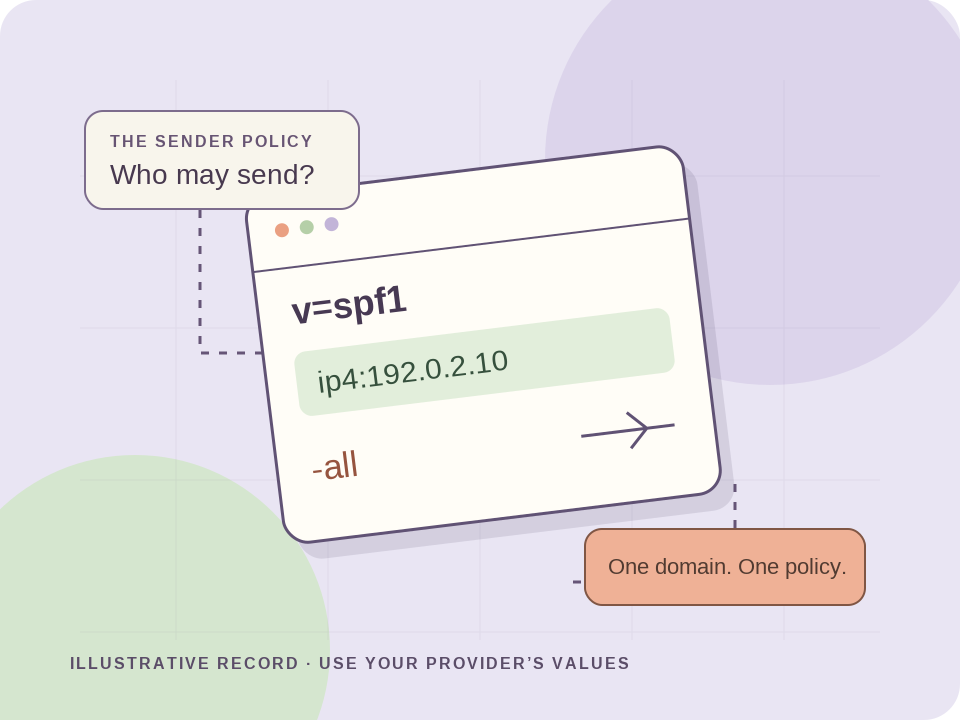
For example, this synthetic fragment uses a TEST-NET documentation address and shows the shape of a policy, not a record to copy: v=spf1 ip4:192.0.2.10 -all. The TEST-NET address does not represent a live sender. ip4 checks a specified IPv4 address or range; -all returns fail if execution reaches it. Your sending providers must supply the actual terms and hostnames for your setup.
SPF mechanisms are evaluated in order and stop when one matches. Mechanisms placed after all cannot be reached. The all mechanism itself does not make a DNS lookup, while include, a, mx, ptr, and exists mechanisms and the redirect modifier are lookup-causing terms.
v=spf1 ip4:192.0.2.10 -all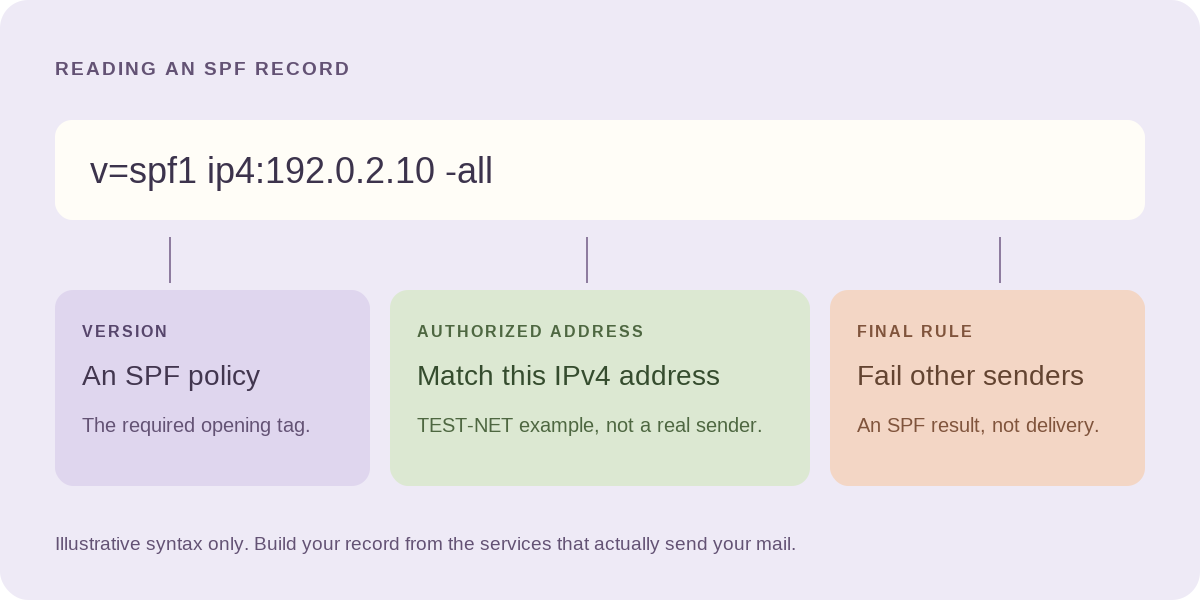
One SPF policy, even when DNS shows TXT chunks
At a name such as example.com, publish only one TXT policy beginning v=spf1. Multiple SPF records at the same name do not combine into a larger allowlist; SPF evaluation can return a permanent error when more than one matching policy is found. Before adding anything, inspect the existing record and ask each service that sends as your domain for its required SPF instruction. Combine only the provider-approved mechanisms into the existing policy, preserving the intended order and ending behavior.
Do not confuse multiple TXT records with multiple quoted strings inside one TXT record. DNS can split one long TXT record into quoted character-strings. SPF treats the strings inside that same record as concatenated exactly, with no inserted space. Separate records at the same name are different: two policies cannot be stitched together by a receiver. A DNS control panel may display these forms differently, so confirm the record boundaries with its documentation.
"v=spf1 ip4:192.0.2.10 " "-all"

Interpreted text: v=spf1 ip4:192.0.2.10 -allWhy nested includes matter
SPF limits an evaluation to ten DNS-querying terms. The count is not just the number of visible include words in your top-level record: terms reached inside included policies count during the same evaluation. The a, mx, ptr, exists, and redirect terms also count; ip4, ip6, and all do not count toward this specific limit. Exceeding the limit can produce permerror instead of a normal authorization result.
Bare.io’s email DNS checker inspects the submitted SPF text for supported syntax and flags visible terms. It does not fetch included policies, expand macros, evaluate a sending IP, or calculate the total nested lookup budget. If a provider update pushes you near the limit, ask your mail administrator or provider to review the complete evaluation path. Avoid deleting includes or flattening addresses without understanding how the provider changes its sending infrastructure.
A careful way to review SPF
Start with the exact domain that appears in a message’s return-path or the domain your provider says SPF should cover. Inventory every service that sends mail for it, including web applications, support desks, billing platforms, and marketing systems. Confirm each service’s current instructions in its own admin console; do not infer an SPF include from a brand name or copy a recipe from another domain.
Compare those instructions with the policy already published. Resolve duplicates and obsolete senders with the people responsible for them before editing DNS. After a change, query the exact name and review the actual SPF result on test messages sent through each authorized system. An observed TXT policy is not evidence that every source is authorized or that a receiving system will accept a message.
- Identify the SMTP MAIL FROM domain used by each sender.
- Keep one provider-confirmed SPF policy at that queried name.
- Review nested lookup-causing terms with the providers before making changes.
- Check real authentication results after DNS changes have propagated.
Your next-step checklist
- Find the domain used for the message’s SMTP MAIL FROM identity.
- Inventory all systems authorized to send using that identity.
- Keep one SPF policy per checked name and use exact provider instructions.
- Review nested lookup-causing terms; a top-level syntax check is not a recursive evaluation.
- Test messages from each sender and review receiver-side SPF and DMARC results.
Sources & further reading
- 1Set up SPF for custom domains — Microsoft Learn
Provider guidance for mail-source inventories, record configuration and troubleshooting.
- 2Managing SPF Records — M3AAWG
Industry guidance on SPF management and nested DNS-querying terms.
- 3RFC 7208 — Sender Policy Framework (SPF)
Sections 2.3, 3.2–3.3, 4.6.2–4.6.4, and 5 describe the identity, record selection, TXT strings, evaluation order, and lookup-causing terms.
- 4RFC 5737 — IPv4 Address Blocks Reserved for Documentation
192.0.2.0/24 is TEST-NET-1, reserved for documentation and examples.
- 5RFC 9989 — Domain-Based Message Authentication, Reporting, and Conformance (DMARC)
Defines DMARC authentication identifiers and alignment with the Author Domain.